
Turn incoming work orders into ServiceM8 jobs
Your work orders arrive by email, as documents or through a work order link. Auto Work Order processes the incoming information and creates a ServiceM8 job based on your configured workflow.
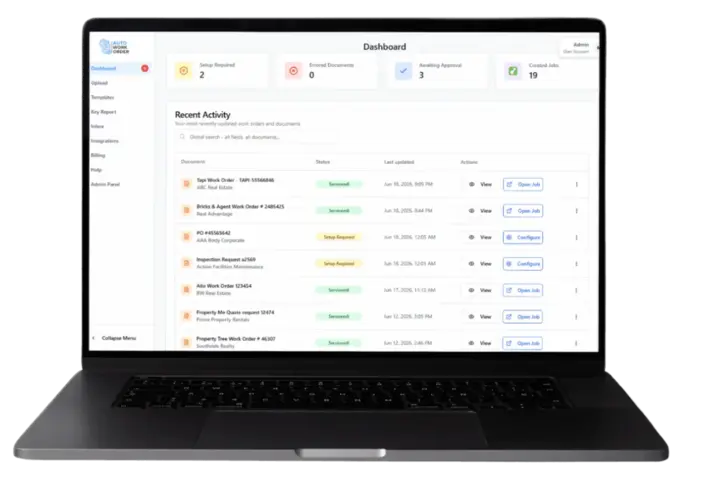
From an incoming work order to a configured job
Auto Work Order handles the path from inbox to job, so your team doesn't re-enter the work order information into ServiceM8.
Receive the work order
Your work orders arrive by email, as documents or through a work order link. Auto Work Order captures the incoming information and queues it for processing.
Configure how it is processed
Use client or document templates to map extracted information into the ServiceM8 fields your team uses. Add your own headings or labels where they help.
Create the ServiceM8 job
Auto Work Order creates the job using your required configuration. Keep approval enabled while testing, or use Auto Process once a template is ready.
Tapi work orders start with the link in the email
For Tapi work orders, Auto Work Order processes the work order link from the incoming email, opens the Tapi work order page and extracts attachments for further processing. It then creates the ServiceM8 job based on your required configuration.
Set up the job your team needs
A useful workflow starts with the job you want to see in ServiceM8. Review your client and document templates, mapped information and job description against a real work order.
Templates are tied to a client or document type so the right extraction rules and field mappings apply automatically the moment their next job lands.
A simple review checklist
- The property address and work order reference match the source.
- The job description captures the scope of work.
- Contact and company information are mapped appropriately.
- The resulting ServiceM8 job matches your intended configuration.
Receiving work orders from real estate clients?
If your work comes from property managers using Tapi, PropertyMe, Property Tree or Ailo, see how Auto Work Order processes those sources into your ServiceM8 workflow.
Explore real estate work orders to ServiceM8Questions about Auto Work Order and ServiceM8
See your own work order become a ServiceM8 job
Show us the work orders your business receives and the job your team needs. Book a demonstration to discuss the configuration for your workflow.