
Manual work order entry vs Auto Work Order
By Auto Work Order team
Manually creating a ServiceM8 job means reading the work order, gathering the details and entering them into the job. Auto Work Order processes that incoming information and creates the job using your configuration, so your team can focus on reviewing the result instead of copying it between systems.
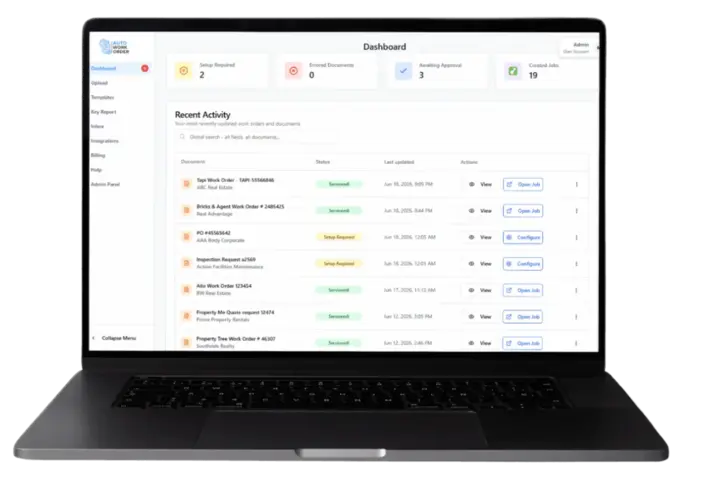
The manual way: read, collect and enter
A manual workflow often starts with opening the email, finding the work order and reading its instructions. The details may be in an attached document, the email body or a linked page.
The person creating the job gathers the information they need and enters it into ServiceM8. They then check the site, scope and contact information against the original request.
This approach keeps a person involved in each handover. It also means the office team repeats the information-gathering and entry steps for each request it processes this way.
The Auto Work Order way: process, configure and review
Auto Work Order is real estate work order automation for trade and property maintenance businesses using ServiceM8. It processes incoming information and creates jobs based on the templates and configuration you use.
Your team sets up the workflow around the job it needs. Review and Auto Process settings support the processing approach appropriate to that setup.
Automation changes the entry work; it does not remove the need to check that the request is understood and the job is suitable for your team.
Compare the handover step by step
| Step | Manual entry | Auto Work Order |
|---|---|---|
| Receive the request | Open the incoming email and identify the work order. | Process the incoming work order through the configured intake route. |
| Gather the information | Read the request and collect relevant details from the document or linked page. | Extract work order information through the supported workflow; for Tapi, open the linked work order page and extract attachments for further processing. |
| Create the job | Enter the required details into ServiceM8. | Create the ServiceM8 job using the required configuration. |
| Check the result | Compare the entered job with the original request. | Review the resulting job against the source and intended configuration. |
| Total time | Around 3-5 minutes of human effort per Tapi work order. | Around 15 seconds to read and create a ServiceM8 job. |
A Tapi example: follow the work order link
A Tapi request can arrive as a link in the email. In a manual workflow, your office team opens the request, reads the work order and gathers what it needs to create the job.
Auto Work Order processes the work order link from the incoming email, opens the Tapi work order page and extracts attachments for further processing. It then creates the ServiceM8 job based on your required configuration.
During setup, check the original Tapi request against the resulting ServiceM8 job and confirm the configuration your team needs.
What your team still needs to review
Start with a representative work order. Compare the job against the source and ask:
- Is the property address correct, including any unit information?
- Does the description represent the requested work?
- Do the contact roles and instructions make sense for this request?
- Has anything missing or unclear been flagged for attention?
- Does the job match the configuration your business intended?
Use these questions to review the job against the original request. Flag missing or unclear information before your team acts on it.
Evaluate the change using your own work orders
Use the requests your business receives when evaluating Auto Work Order. Show the team how you currently create the job and explain the result you want in ServiceM8.
Compare the entry steps, review work and any corrections using representative requests from your own business.
See your work order become a ServiceM8 job
Bring a representative work order and the job your team needs. Book a demonstration to discuss the workflow and configuration for your business.