
ServiceM8 work order scanning vs Auto Work Order: a Tapi example
By Auto Work Order team · 28 September 2026
The way a work order arrives matters. A PDF attached to an email and a Tapi work order supplied through a link involve different information-gathering steps before your team has a usable job.
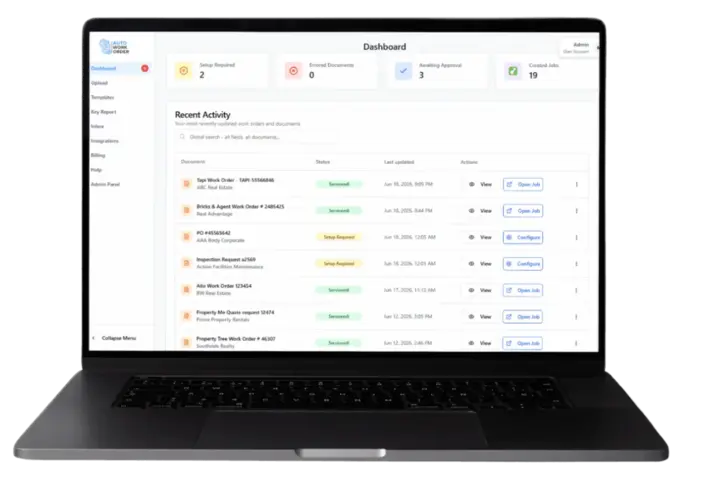
ServiceM8 offers work order scanning. Auto Work Order processes supported incoming work orders and creates ServiceM8 jobs using your configuration. This comparison uses Tapi to explain the linked-work-order route and the setup questions worth checking.
How ServiceM8 describes work order scanning
ServiceM8 documents scanning PDF work orders received in its Email Inbox. It extracts job and contact information, then the user selects Convert to Job. Its documentation notes that layout and formatting can affect scanning results.
Read ServiceM8's work order scanning guide for current instructions.
Use your actual requests to check how that documented route fits the jobs your team needs. Look at the received input and the resulting job, including any review or correction required.
What happens when the work order is a Tapi link?
For Tapi work orders, Auto Work Order processes the work order link from the incoming email, opens the Tapi work order page and extracts attachments for further processing. It then creates a ServiceM8 job based on your required configuration.
That gives you a specific workflow to evaluate when the information sits behind the work order link. Review a representative request during setup so the resulting job matches how your business works.
Explore Tapi work orders to ServiceM8·Read the practical Tapi workflow guide
Compare the intake and job creation steps
| Question | ServiceM8 PDF scanning described here | Auto Work Order Tapi example |
|---|---|---|
| What arrives? | Email with an attached PDF work order. | Incoming email containing the Tapi work order link. |
| How is the source processed? | PDF scanning described in ServiceM8's guide. | Opens the Tapi work order page and extracts attachments for further processing. |
| How does it become a job? | The documented conversion step creates the ServiceM8 job. | Creates the ServiceM8 job using your required configuration. |
| What should your team check? | Extracted information and the resulting job against the source. | The source request, processing setup and resulting configured job. |
Different input routes call for different checks. Start with the request your business actually receives and the job information your team needs.
Auto Work Order processes more than Tapi
Tapi is the example in this article. Auto Work Order also processes supported real estate work orders from sources including PropertyMe, Property Tree and Ailo, with ServiceM8 as the job destination.
Confirm the intake and configuration for each source. A linked Tapi request does not establish how another platform's work order is processed.
Configuration and review matter to the resulting job
A useful job needs to match the request and your business workflow. Auto Work Order uses configured templates, with review and Auto Process options according to your setup.
During a demonstration, compare the original request and the resulting job. Check the property, scope, source reference and contact roles that matter to your team. Ask how missing or unclear information should be handled in that workflow.
Confirm supported fields and attachment behaviour with a real example rather than assuming that every item has a dedicated automatic mapping. Keep the original request available when reviewing the result.
Evaluate the workflow with your own work order
Choose a representative request and describe the job you want in ServiceM8. Compare the input, configuration and checks involved in producing that result.
Where workflows use different source formats, record that difference rather than treat them as identical tests. If you measure handling time, include review and corrections and keep the same start and finish points.
The most useful outcome is a clear understanding of what Auto Work Order will process for your business and what your team should review.
See your work order become a configured ServiceM8 job
Auto Work Order is real estate work order automation for trade and property maintenance businesses using ServiceM8. Bring a work order your office receives and the job your team needs. Book a demonstration to discuss the configuration.